Bulk materials
Take Platinum as an example, a series of modeling is performed:
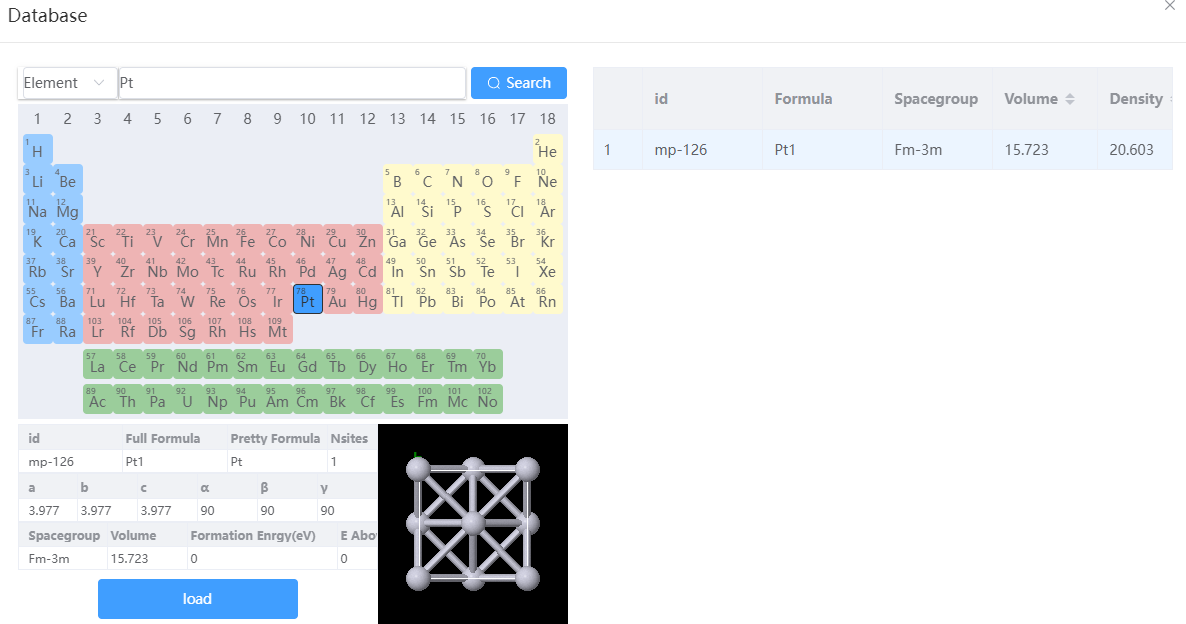
- Load file from database: click
File→Load from Online Databasein the menu, clickPt→Search→Loadin the pop-up window; - Convert between primitive cell and conventional cell: Click
Modify→Symmetry→Primitive/Conventional Cellin the menu, this example will use conventional cell; - Build supercell: Click
Modify→Build Supercellin the menu, and set the supercell size in the pop-up window; - Build Doped Structures: In the toobar, click
 to activate the selection mode, select the atom to be replaced → then in the toobar, click
  to replace it with other elements.
 Import the unit cell Import the unit cell | 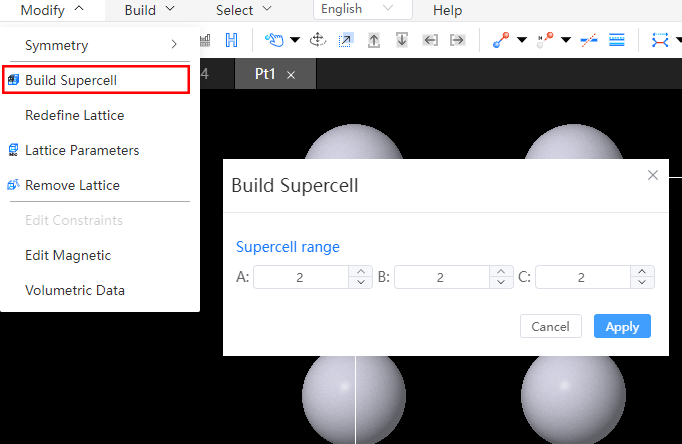 Dilation Dilation | 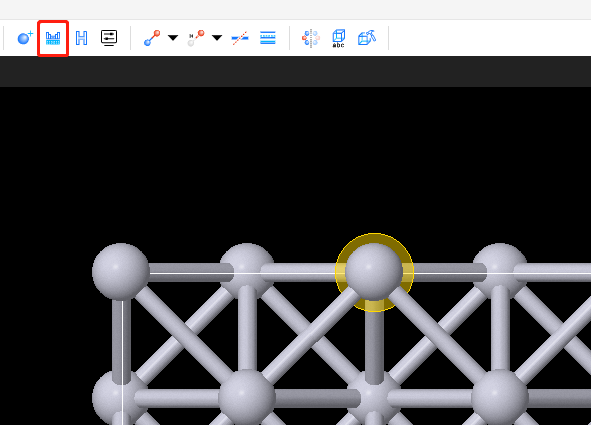 Replace atoms Replace atoms |