Two-dimensional materials
Take MoS2 as an example for a series of modeling:
- Import MoS2 crystal structure from database: Click
File→Load From Online Databasein the menu, select Mo and S elements and clicksearch, select the structure which space group is P6_3/mmc then clickload; - Build a single-layer 2D material: Click
Modify→Symmetry→Make P1in the menu, select one of the MoS2 fragment then pressDeletein your keyboard to delete it. ClickModify→Lattice Parametersin the menu, uncheck thekeep fractional coordinate fixedoption, and adjust the c length to 20 angstrom to get an sufficient vacuum thickness. (You can also use cleave surface functionality to build 2D materials) - Redefine Lattice (optional): If you need to convert the lattice to other lattices, such as orthogonal unit cells, √3 primitive vectors, etc., click
Modify→Symmetry→Redefine Latticein the menu, set a proper scaling matrix, then clickLoad. - Build supercell (Optional): Click
Modify→Build Supercellin the menu, and set the supercell size in the pop-up window;
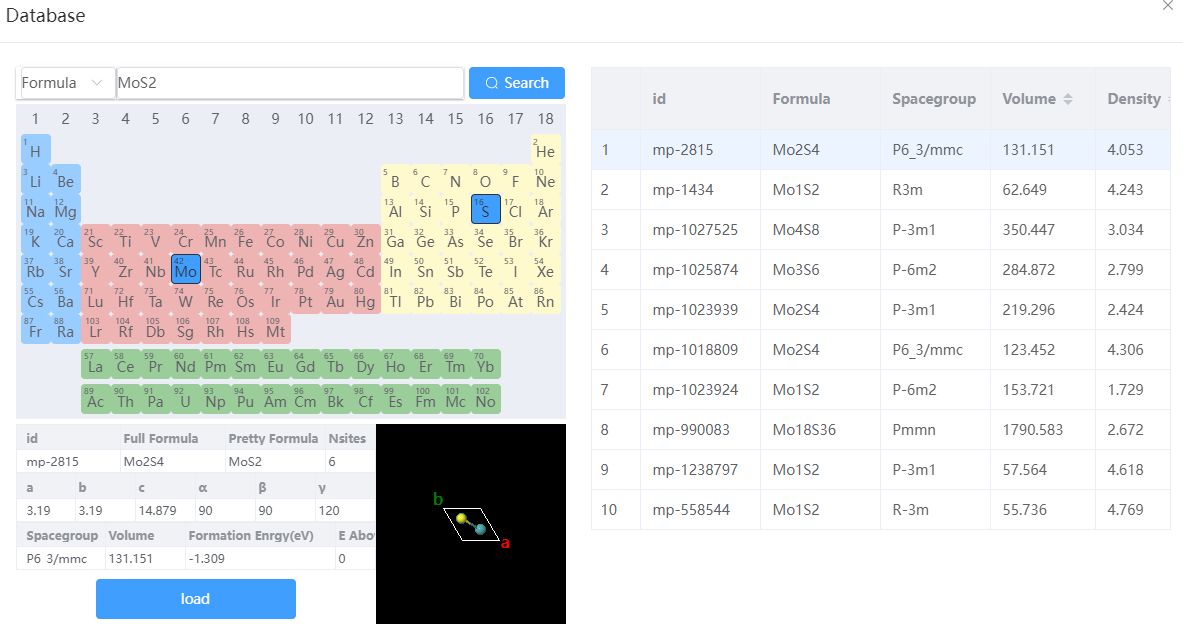 Import the unit cell Import the unit cell | 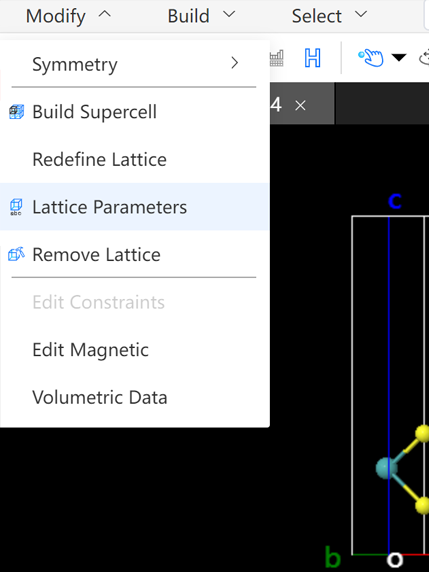 Build single-layer two-dimensional materials Build single-layer two-dimensional materials | 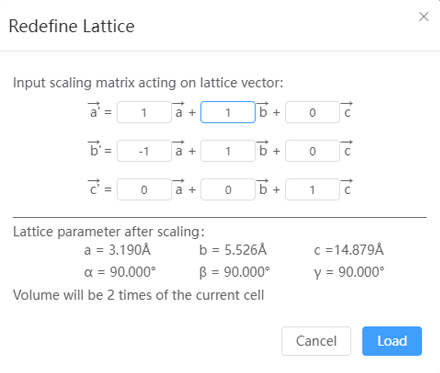 Lattice transformation Lattice transformation |