Slab and surface adsorption
Take Platinum as an example, a series of modeling is performed:
- Load file from database: click
File→Load from Online Databasein the menu, clickPt→Search→Loadin the pop-up window; - Build supercell: Click
Modify→Build Supercellin the menu, and set the supercell size in the pop-up window; - Cleave surface: click
Build→Cleave Surfacein the menu, set the cleave plane and its position and slab thickness in the pop-up window, clickCleave, set the vacuum in the pop-up window, clickApplyto preview (→ Adjust Position) →Ok; - Fix the atoms away from surface: In the toolbar, click
 to activate the selection mode, drag to select the layers of atoms which are away from surface → click
 Modify→Edit Constraintsin the menu → Fix the X/Y/Z Position in the pop-up window; - Surface adsorption of single atom: Click
Build→Add Atomsin the menu, select element and input coordinates of the atom which will be added ( you can also click in the toolbar to add atoms);
 - Surface adsorption of small molecules: Click
Build→Sketch Moleculein the menu, draw a molecule, then clickOptimize→Appendto append this molecule into current structure. In the toolbar, click to activate the molecule dragging mode, drag the molecule to the specified position. You can also click
 in the toolbar to fine-tune the position of the molecule.
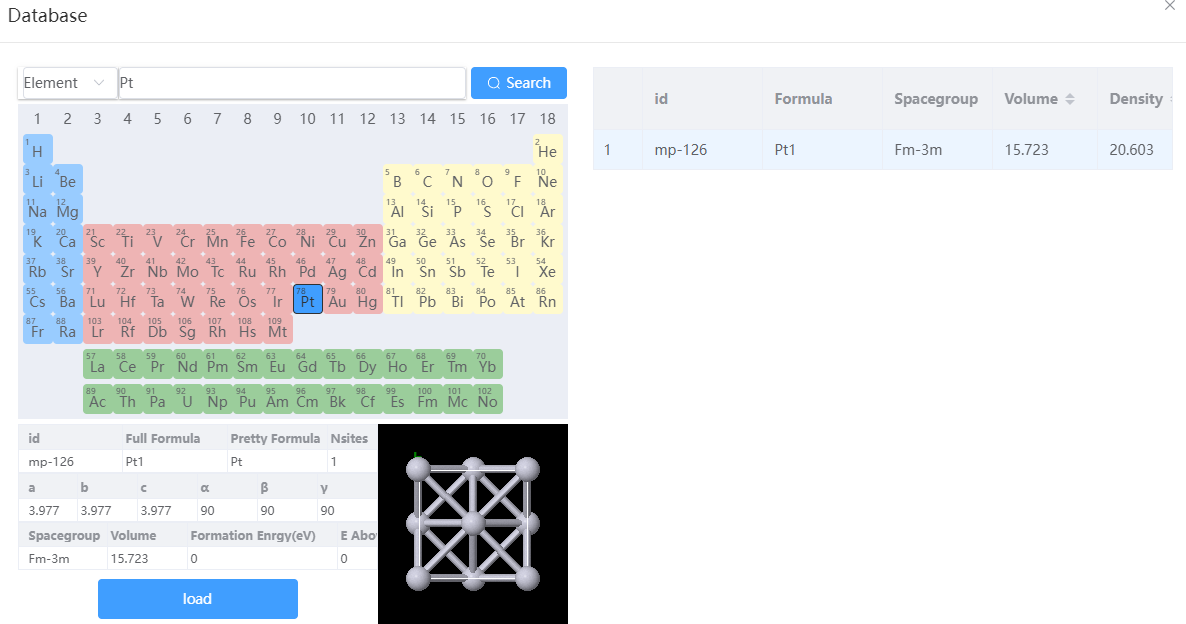 Import the unit cell Import the unit cell | 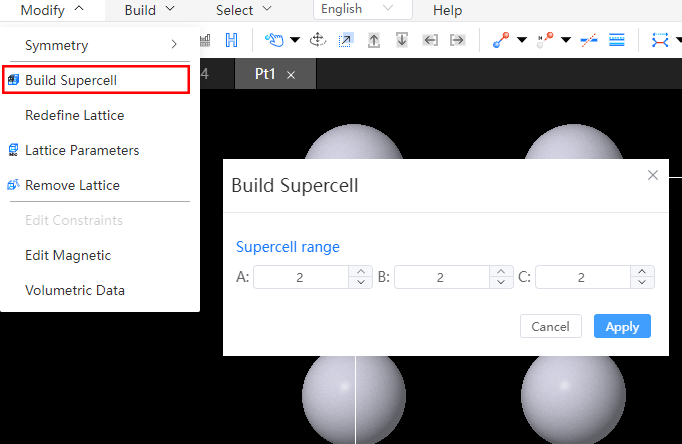 Dilation Dilation | 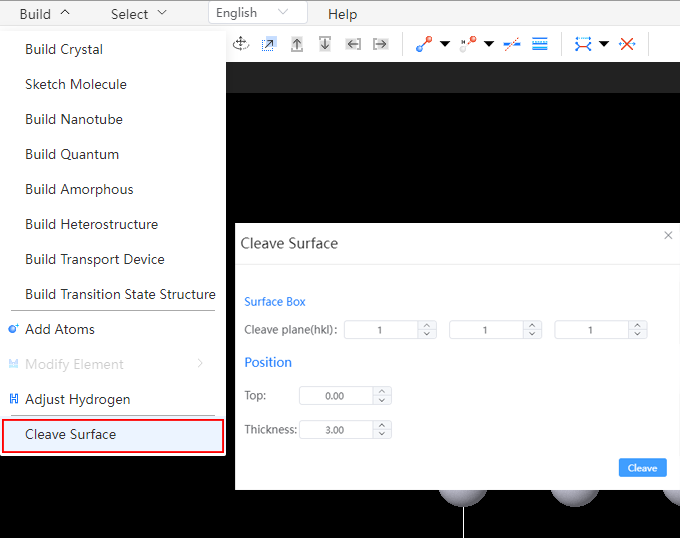 Cut the surface Cut the surface |
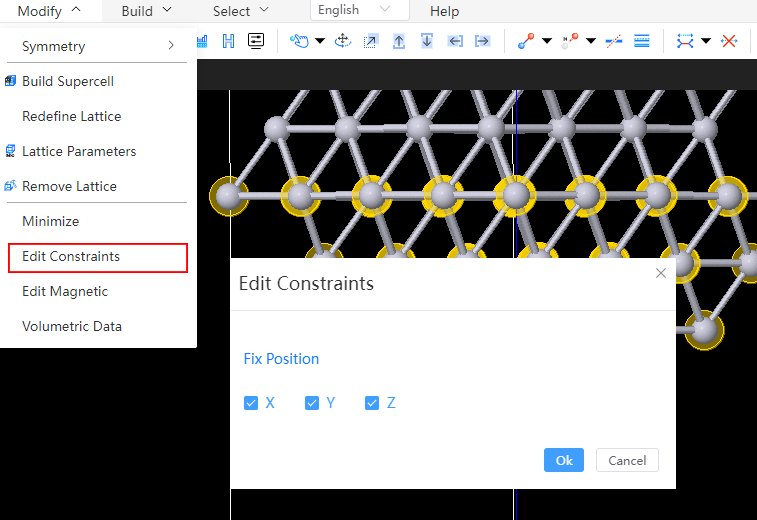 Fixed base vector Fixed base vector | 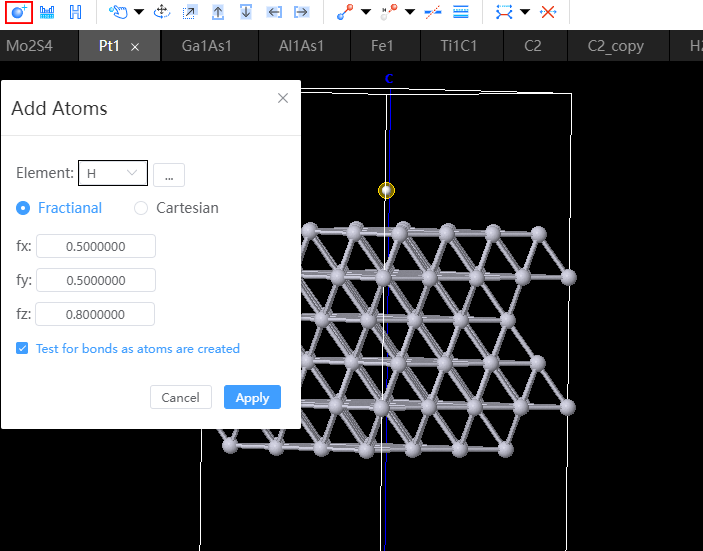 Adsorption of single atoms Adsorption of single atoms | 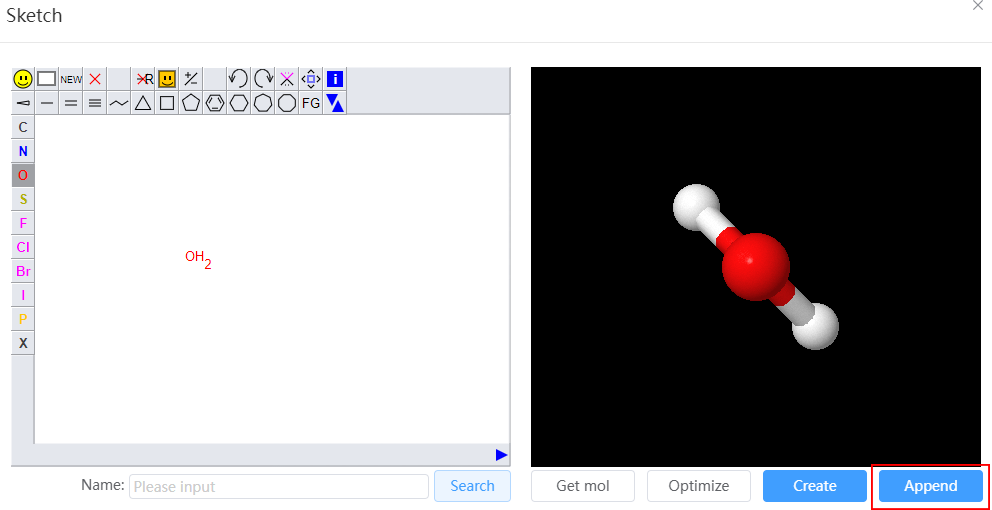 Adsorbs small molecules Adsorbs small molecules |